What Is an API? A Complete Guide to Application Programming Interfaces
Every time you check the weather on your phone, sign in with Google, or pay for something with Apple Pay, you’re using an API behind the scenes. APIs (application programming interfaces) are the contracts that let one piece of software ask another for data or actions, and they sit underneath almost every modern app, website, and AI agent. This guide explains what an API actually is, the major architectural styles you’ll encounter today, how a typical API call works end to end, and where APIs fit into the new wave of AI tooling.
What Is an API?
An API (application programming interface) is a set of rules that lets two software programs exchange data and instructions. A client application sends a request to an API endpoint; the server processes that request and returns a response, usually formatted as JSON. APIs power logins, payments, maps, weather widgets, and AI integrations across the modern web.
The textbook analogy is the restaurant waiter: you (the client) order from a menu (the API contract), the waiter takes your order to the kitchen (the server), and the kitchen sends back your meal (the response). The analogy holds because the customer doesn’t need to know how the kitchen works, only how to read the menu and place an order. APIs work the same way. They expose a defined surface of operations while hiding everything else about the system on the other side.
That separation is what makes modern software composable. A developer building a logistics dashboard doesn’t need to write payments code, mapping code, identity code, or fraud detection. They consume APIs from Stripe, Mapbox, Auth0, and Sift, then focus on the dashboard itself. The result is software that ships faster and gets better as the underlying services improve.

What Does API Stand For?
API stands for application programming interface. The “interface” part is doing most of the work in that phrase: an interface is the agreed-upon way two parties interact. The “application programming” part narrows it to interfaces designed for software-to-software communication rather than human-to-software interaction (a UI).
The term predates the web by decades. APIs first appeared in the 1940s and 1960s as subroutine libraries that one program could call from another on the same machine. Web APIs as we know them today were shaped by Roy Fielding’s 2000 doctoral dissertation Architectural Styles and the Design of Network-based Software Architectures, which formalized REST and gave the industry a coherent model for using HTTP as an application protocol. Almost every public API you’ll touch today is downstream of that work.
How Do APIs Work
APIs follow a request-response model. A client (a browser, mobile app, backend service, or AI agent) constructs a request, sends it across the network to an API endpoint, and waits for the server to respond. The full anatomy of a typical web API call has six moving parts:
- Endpoint URL. The address of the resource, for example
https://api.example.com/v1/users/42. - HTTP method. The verb describing what the client wants to do:
GET(read),POST(create),PUT(replace),PATCH(partially update),DELETE(remove). HTTP method semantics are defined in IETF RFC 9110, the current HTTP semantics specification. - Headers. Metadata about the request: authentication tokens, the content type, caching directives, the user agent.
- Request body. Optional payload, typically JSON, for methods that send data (
POST,PUT,PATCH). - Status code. A three-digit code in the response signaling outcome (
200 OK,201 Created,401 Unauthorized,404 Not Found,500 Internal Server Error). - Response body. The data returned to the client, again usually JSON.
A concrete example. To pull a user record from a hypothetical service, you’d send:
curl -X GET https://api.example.com/v1/users/42 \
  -H "Authorization: Bearer eyJhbGciOiJIUzI1NiIs..." \
  -H "Accept: application/json"
And get back something like:
{
  "id": 42,
  "email": "ada@example.com",
  "plan": "pro",
  "created_at": "2026-01-14T09:31:00Z"
}
That round trip happens in tens to hundreds of milliseconds, and a single user-facing action often fans out into many such calls. Loading a checkout page might trigger calls to a product catalog API, a pricing API, an inventory API, an address validation API, and a session API, all in parallel. Understanding the HTTP status codes the server returns is how you debug what went wrong when one of those calls fails.
Types of APIs by Audience
The first useful way to classify APIs is by who’s allowed to call them. The audience determines how the API is published, documented, secured, and monetized.
Public APIs
Public APIs (also called open APIs) are exposed to anyone on the internet. Developers typically sign up for an account, receive an API key, and start calling endpoints under a documented rate limit. Stripe, Twilio, OpenAI, GitHub, and the Google Maps Platform are all public APIs. They’re the engine of the platform economy because they let third parties build on top of a service without negotiating a private contract first.
Private APIs
Private (internal) APIs are used inside a single organization. The microservice architecture most modern engineering teams run on is, in effect, a graph of private APIs calling each other. They’re often the highest-traffic APIs at a company even though no external developer ever sees them. Internal API governance, latency budgets, and schema versioning are usually where most engineering time gets spent.
Partner APIs
Partner APIs sit between public and private. They’re exposed to a known set of business partners under a contract, usually with tighter authentication and higher rate limits than a public API. A travel booking platform giving major hotel chains direct access to inventory and reservation endpoints is a typical example.
Composite APIs
A composite API bundles several underlying calls into a single request. Instead of the client making five round trips, it makes one call to the composite endpoint and gets a combined response. Composite APIs reduce latency over mobile networks and are common in BFF (backend-for-frontend) layers.
Types of APIs by Architecture
The other classification cuts by protocol and data model. Most teams today work with REST and GraphQL, but the other styles all show up in real codebases and each makes different trade-offs.
REST
REST (representational state transfer) is the most widely used style on the public web. It treats every resource as a URL, uses standard HTTP methods, and is typically (but not strictly) tied to JSON. REST APIs are easy to cache, easy to debug with browser tools and curl, and have the deepest tooling support across languages. The trade-off is that REST has no built-in schema, so clients often fetch more data than they need and discover breaking changes at runtime.
SOAP
SOAP (simple object access protocol) is an XML-based messaging protocol introduced in the late 1990s. It’s strictly typed via WSDL, includes built-in standards for security (WS-Security) and reliable messaging, and can run over HTTP, SMTP, or other transports. SOAP is verbose and slow to evolve, but it’s still entrenched in banking, insurance, healthcare, and government systems that need formal contracts and don’t change often.
GraphQL
GraphQL is a query language and runtime, originally developed at Facebook and now maintained as an open spec (latest release September 2025). Clients send a single query describing exactly which fields they want, and the server returns precisely that shape. The big win is over-fetching: a mobile client on a slow network can ask for the three fields it actually needs instead of pulling a 40-field user object. The cost is server-side complexity. Caching, rate limiting, and query-cost analysis are all harder than with REST.
gRPC and RPC variants
gRPC is Google’s open-source RPC framework, built on HTTP/2 and Protocol Buffers (a binary, schema-first serialization format). It supports bidirectional streaming, code generation across roughly a dozen languages, and dramatically lower payload sizes than JSON. gRPC is the default choice for internal service-to-service traffic in performance-sensitive systems. Older RPC variants like XML-RPC and JSON-RPC still appear in legacy integrations and in some blockchain APIs.
WebSocket APIs
WebSockets give you a persistent, full-duplex connection over a single TCP socket. Once the client and server complete a one-time HTTP upgrade handshake, either side can push messages whenever it wants. That makes WebSockets the right tool for chat, multiplayer games, live trading data, collaborative editors, and live dashboards. They’re the opposite of REST’s stateless request-response model and require different thinking about reconnection, backpressure, and scaling.
REST vs SOAP vs GraphQL: How They Compare
The three architectural styles you’ll see most often in production aren’t directly interchangeable. Each is a sensible default for a different problem.
| Dimension | REST | SOAP | GraphQL |
|---|---|---|---|
| Data format | Usually JSON; can be XML, CSV, HTML | XML only | JSON |
| Schema / typing | Optional (OpenAPI is common but not required) | Strict (WSDL) | Strict (SDL) |
| Transport | HTTP/HTTPS | HTTP, SMTP, TCP, JMS | Usually HTTP/HTTPS |
| Caching | Built-in via HTTP semantics | Limited | Hard; needs per-field strategy |
| Best fit | Public web APIs, CRUD over resources | Enterprise systems with formal contracts | Mobile and rich clients with varying data needs |
| Common drawbacks | Over-fetching, under-fetching, versioning | Verbose, slow on the wire, harder to debug | Server complexity, caching, query cost |
Picking between them usually comes down to who the consumer is. If you’re publishing an API to thousands of external developers, REST is the path of least resistance. If you’re integrating with a bank or insurer that requires WS-Security, you don’t get to choose, you’re using SOAP. If you’re feeding a React Native app or a TypeScript single-page app, GraphQL eliminates a class of frontend pain that REST creates.
Real-World API Examples
A quick way to see what APIs do is to walk through a few you’ve almost certainly used today.
- Sign in with Google, Apple, or GitHub. OAuth APIs handle the identity handshake so the application you’re signing into never sees your password.
- Stripe and PayPal. Payment APIs accept card details on the merchant’s behalf, run them through fraud and 3DS flows, and return a charge token. Most ecommerce checkouts today are stitched together from at least three different payment-related APIs.
- Google Maps Platform. The Maps Embed API and Maps JavaScript API put interactive maps into ride-share apps, real estate listings, and food delivery interfaces.
- OpenWeather and the National Weather Service. Weather widgets in most consumer apps call out to weather APIs rather than running their own forecasting models.
- Social share buttons. When you click “Share to X” inside another app, that app calls the social network’s posting API.
- Travel aggregators like Kayak and Skyscanner. These products are mostly composed of partner APIs from airlines, hotels, and global distribution systems, fanned out and combined at query time.
- OpenAI and Anthropic. Generative AI APIs return model completions over HTTP, and they’ve become a dependency for a significant share of consumer software shipped in the last two years.
The pattern across all of these: the product team didn’t build the hard part themselves. They composed it from APIs.
API Benefits
When teams ask whether an investment in API design and tooling is worth it, the upside lands in five buckets.
- Faster integration. A well-documented API can be wired into a new application in hours. Building the same capability from scratch takes weeks.
- Composability and innovation. Public APIs create the conditions for unexpected products. Twilio enabled an entire generation of two-factor authentication apps. Stripe made it possible to launch a marketplace in a weekend.
- New revenue. APIs themselves are products. Usage-based pricing, tiered plans, and metered overages let companies turn their internal services into revenue lines, which is the whole basis of API monetization as a strategy.
- Scalability. A clean API boundary lets you swap the implementation underneath without breaking callers. That’s how teams migrate from monoliths to microservices, or from one cloud provider to another, without rewriting the client.
- Security, when done right. A single API gateway is much easier to harden, monitor, and rate-limit than a sprawling set of ad hoc endpoints. The same gateway becomes the natural place to enforce auth and detect abuse.
The same five benefits create the same five risks if the API is designed poorly. A confusing API slows integration. A leaky one creates security incidents. A bad versioning strategy turns every change into a breaking change.
Common API Security Considerations
Most API breaches don’t come from exotic zero-days. They come from missing or misconfigured basics. Four controls account for the majority of safe-API patterns:
- Authentication. API keys are the simplest scheme and still appropriate for low-risk, server-to-server use. For anything involving end-user data, OAuth 2.0 and OpenID Connect are the standards, with short-lived JSON Web Tokens (JWTs) carrying scopes and claims.
- Rate limiting. Limits cap abuse, protect against accidental traffic spikes, and create a basis for usage-based billing. GitHub’s REST API, for example, allows 5,000 requests per hour for authenticated users on the primary rate limit, with separate secondary limits to catch burst patterns.
- TLS everywhere. Every endpoint should be HTTPS, with HSTS enabled. Plain HTTP for API traffic is malpractice at this point.
- Input validation. Validate types, lengths, and shapes on the server. Never trust that the client sent what your contract said it would send. The OWASP API Security Top 10 consistently lists broken object-level authorization (BOLA) and broken authentication near the top, and most exploits chain together small input-validation gaps.
The teams that handle API security well treat it as a layered design problem, not a checklist. Auth at the edge. Validation at the service. Authorization checks on every object reference. Logging and alerting on the analytics layer.
How to Use an API: A Practical Walkthrough
If you’ve never called a public API end to end, the workflow is the same regardless of which service you pick. Five steps cover it:
- Read the docs. Find the API reference, identify the endpoint you need, and note the required parameters, headers, and rate limits.
- Get credentials. Sign up for an account, register an application if required, and copy the API key or OAuth client credentials. Store them in environment variables, never in source control.
- Make a test request. Use
curl, Postman, or your language’s standard HTTP library. Confirm you get a200(or expected) status before writing any application code around it. - Parse the response. Most APIs return JSON. Decode it into a typed structure in your language of choice and pull out the fields you care about.
- Handle errors and edge cases. Check for non-2xx status codes, network timeouts, rate-limit responses (
429), and partial failures. A robust integration retries on transient errors with exponential backoff and gives up on permanent ones.
A working example using the httpbin.org echo service to confirm your setup:
curl -X POST https://httpbin.org/post \
  -H "Content-Type: application/json" \
  -d '{"plan":"starter"}'
Once that round-trips cleanly, you’ve cleared the basic plumbing. For a deeper end-to-end build, our REST API tutorial for beginners walks through designing your first endpoint, defining methods, and choosing a payload format.
APIs and AI Agents
The biggest shift in how APIs are consumed since the move from SOAP to REST is happening right now: AI agents are becoming a first-class API client. Where a 2018 API integration meant a developer reading docs and writing glue code, a 2026 integration increasingly means an LLM reading docs and calling endpoints on its own.
Three patterns recur.
Function calling and tool use. Major LLM providers expose structured tool-calling interfaces. OpenAI’s function calling and Anthropic’s tool use let a developer hand the model a list of available functions (effectively, API endpoint signatures), and the model decides when to call which one and with what arguments. The model gets the response back as a message and continues the conversation. Building an agent that can book travel, query a database, or take an action in your product mostly means writing the tool specs.
Model Context Protocol (MCP). Anthropic introduced MCP in 2024 and it has since been adopted broadly. MCP is an open protocol for exposing tools and data to AI applications in a portable way. MCP is supported by Claude and Anthropic’s APIs directly, by OpenAI through ChatGPT connectors and developer-mode tooling, and by a growing set of IDE and agent frameworks. The support story varies by product surface, so check the specific platform’s MCP docs before integrating. The protocol is shaping up as an emerging standard for the agent layer, similar to how REST became the standard for the web app layer.
Long-running agent loops. Agent frameworks orchestrate multi-step tool use against APIs autonomously. That changes traffic patterns dramatically. A single user prompt can fan out into dozens of API calls over several minutes, retries are common, and the “user” hitting your API isn’t a human anymore.
For API providers, this shift has real consequences. Agent traffic is bursty, less predictable than human-driven traffic, and harder to attribute. Rate limits designed around human pacing get blown through. Cost attribution and per-customer usage analytics become hard problems. We see teams increasingly need to separate agent traffic from human traffic at the analytics layer, because the two patterns require different alerting thresholds and different billing logic.
How Moesif Helps You Build, Monitor, and Monetize APIs
Once an API is live, the questions shift from “how do I expose this?” to “who is using it, how, and is it healthy?” That’s the gap we built Moesif to close.
Moesif sits at the API edge (or inside a service mesh, or behind an SDK) and captures every API call as a structured event. From there, our customers use it for four things:
- Product analytics on APIs. Funnels, retention, and cohort analysis applied to API consumers instead of webpage visitors. Which endpoints drive activation? Which customers are about to churn based on declining call volume?
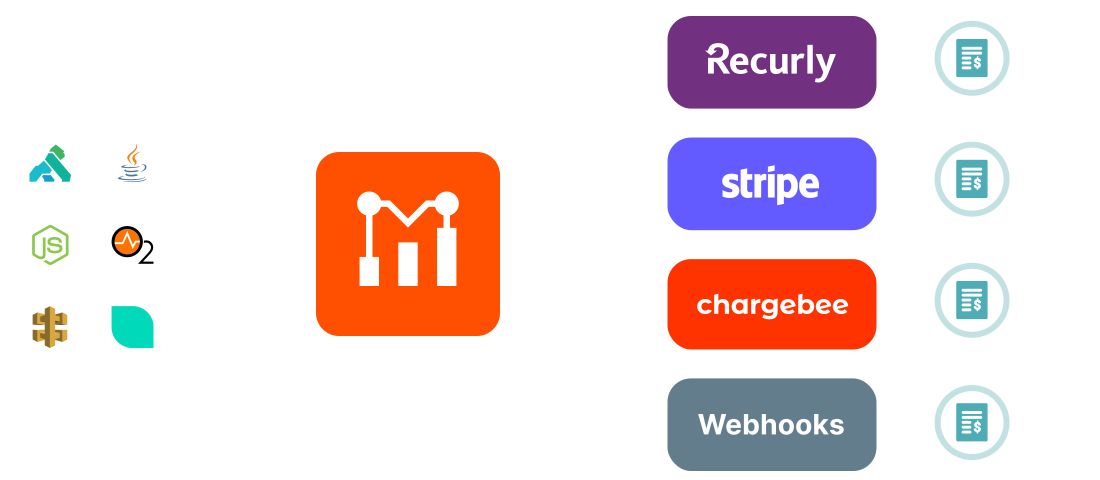
- Usage-based billing. Meter calls, bytes, compute, or any custom metric, then sync usage to Stripe, Recurly, or Zuora for invoicing. The same metering can power tiered plans and overage logic.
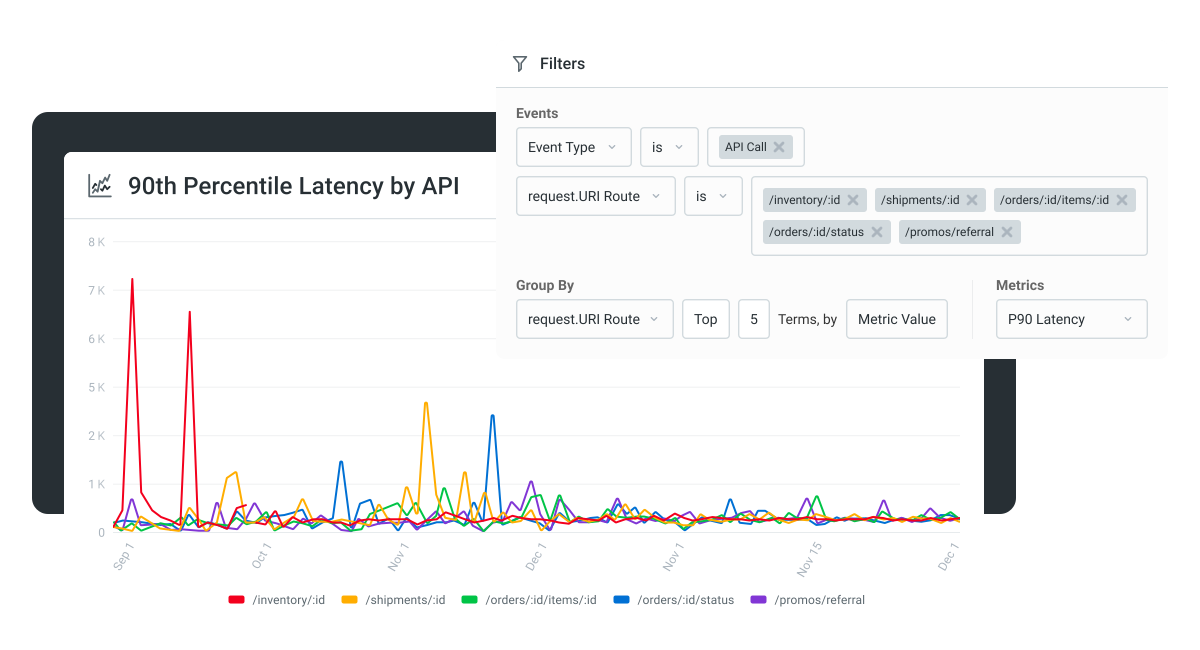
- Real-time alerting. Anomaly detection on per-customer error rates, latency, or volume. Catch a broken integration before the customer files a ticket.
- Governance and security signals. Detect new endpoints, spot abusive usage patterns, and feed billing-aware rate limits.
The common thread: turning API traffic from a black box into a measurable, monetizable product surface. See how teams use Moesif’s API analytics to do this in production.
Conclusion
APIs sit underneath almost every modern app, and the same patterns that powered the SaaS era (REST, JSON, OAuth, gateway-mediated traffic) are now powering the agent era too. Whether you’re publishing your first endpoint, comparing GraphQL against REST for a mobile rebuild, or trying to figure out how to bill AI agents that hit your API hundreds of times per task, the fundamentals in this guide are the foundation. The next move is understanding how your specific API is actually being used. Try Moesif free and see what real API traffic looks like in production.
Frequently Asked Questions
What is an API in simple terms?
An API is a contract that lets one piece of software ask another for data or actions. The requesting side (the client) sends a request in a defined format, and the responding side (the server) returns a defined response. APIs are how apps, websites, and now AI agents get things done without having to build every capability themselves.
What are the 4 types of API?
The four most common types, grouped by audience, are public APIs (open to any developer), private APIs (internal to one organization), partner APIs (shared with specific business partners under contract), and composite APIs (which bundle several calls into one). A separate four-way split groups APIs by architecture: REST, SOAP, GraphQL, and RPC (including gRPC).
What is an example of an API?
The Stripe API is a good example. When an online store charges your card, the merchant’s backend calls Stripe’s PaymentIntents API (POST /v1/payment_intents, the modern replacement for the legacy /v1/charges flow) with a payment method ID and amount, and Stripe returns a PaymentIntent object that tracks the lifecycle of the payment through confirmation and capture. The merchant never handles raw card data directly; the API contract isolates that work.
Is ChatGPT an API?
No. ChatGPT is a consumer product. The underlying API is the OpenAI API, which exposes endpoints like /v1/chat/completions that developers call programmatically to get model responses. Anthropic, Google, and other providers offer similar APIs for their own models. The product is what end users see; the API is what developers integrate against.

Related Articles

API Strategy
Leveraging AI For a Better API Strategy
Learn how to leverage AI to build and fortify your API strategy. Improve design, governance, documentation, and align APIs with business outcomes.
API Strategy
The 5 Best Mixpanel Alternatives of 2025
Learn about the best Mixpanel alternatives to determine the right analytics solution for your use case.

API Development
How to Leverage Moesif Effectively for API Observability
Effectively leverage Moesif for API observability through best practices for integration, event enrichment, custom actions, and engineering workflow integrat...
API Strategy
How to Build an Internal Chargeback Model for Your API and AI Usage Using Moesif
Use Moesif to implement internal chargebacks and enable precise API and AI cost attribution for better transparency and resource optimization.